Documentation
This page presents an in depth documentation of our machine-learning models trained on historical data. Results are presented for research and analytical purposes only.
How to use EvalRun
1. Select your asset and go onto the "Train a Model" tab.
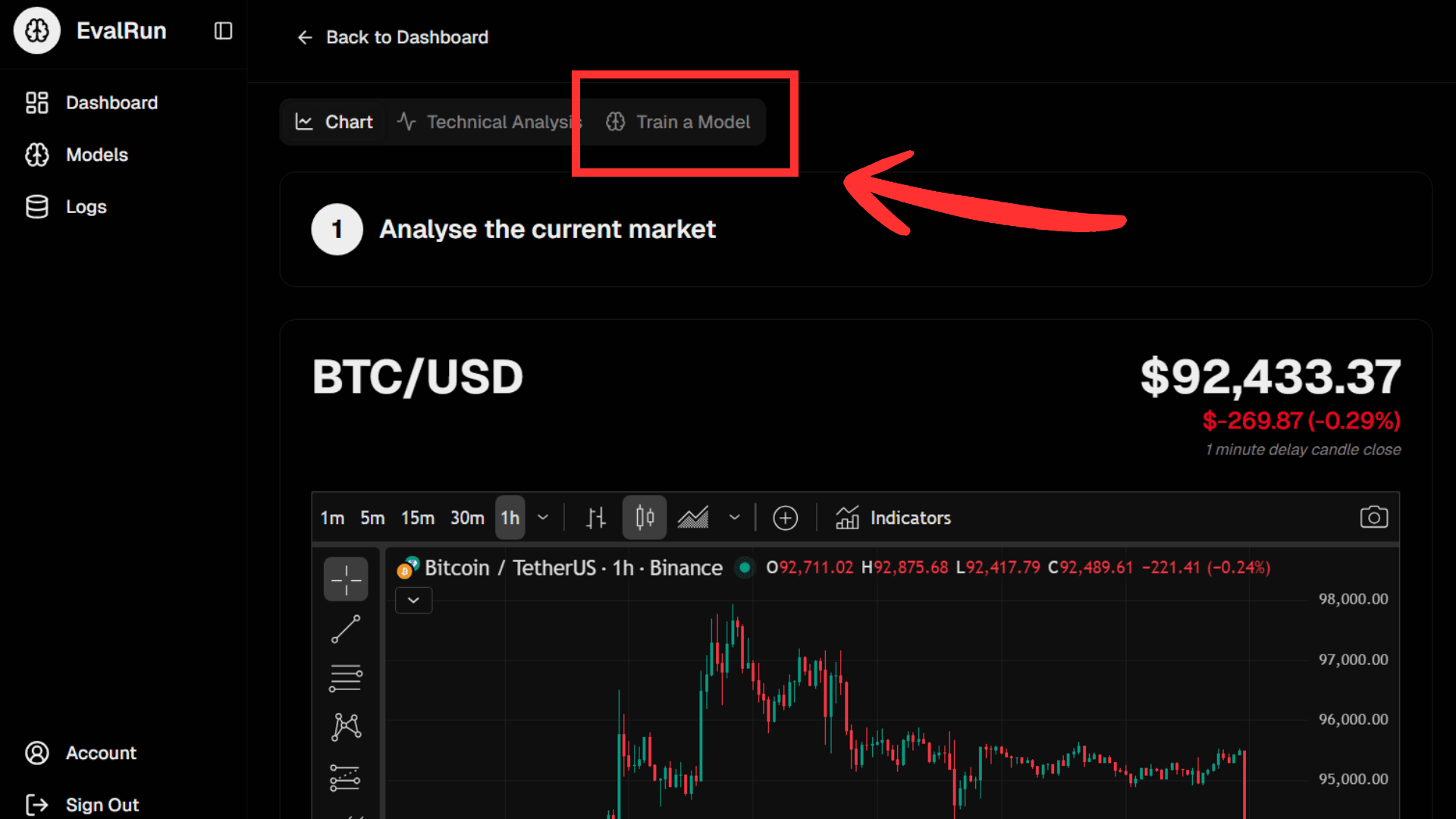
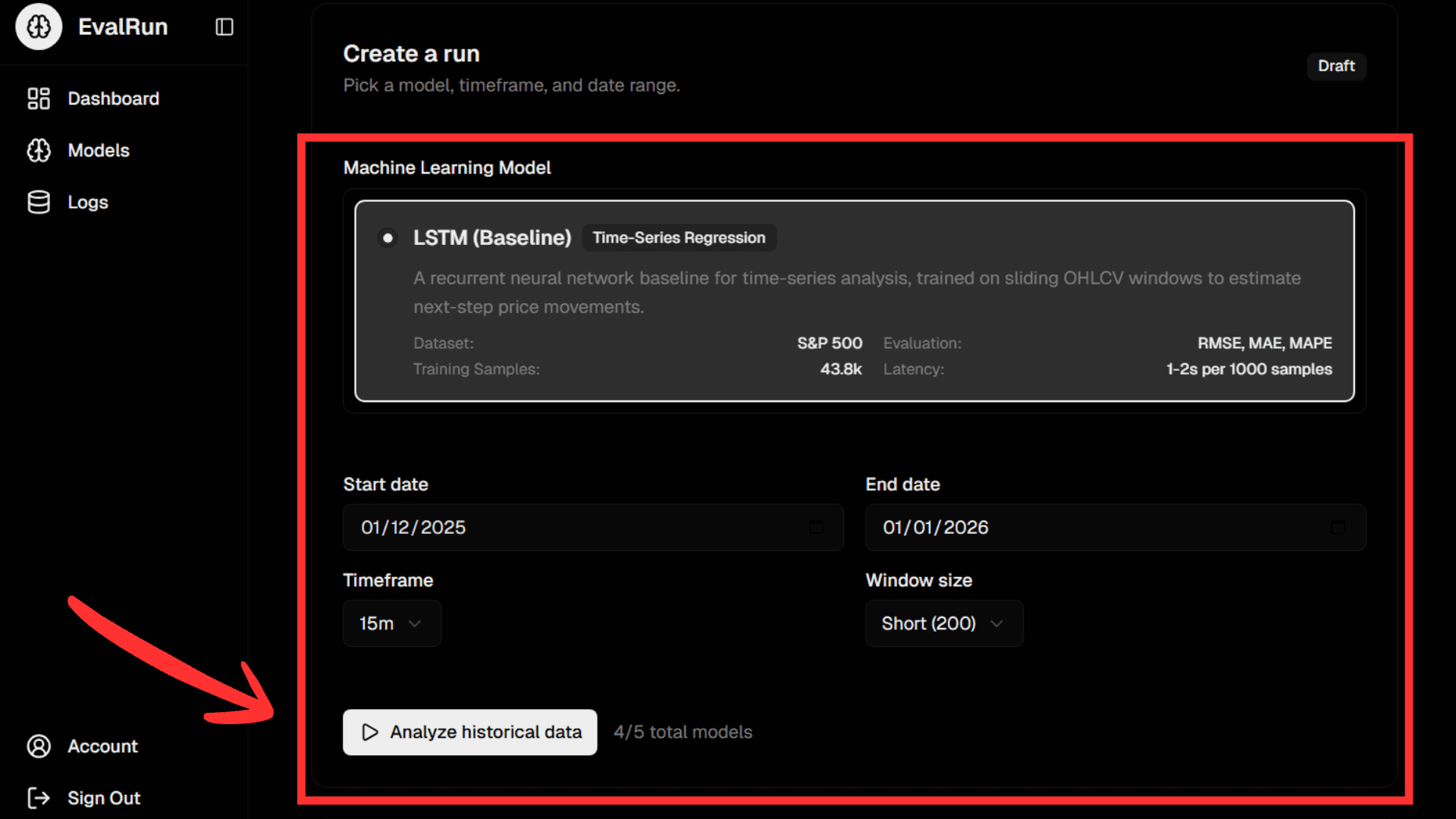
2. Choose one of our models, your chosen parameters and start running your first model.
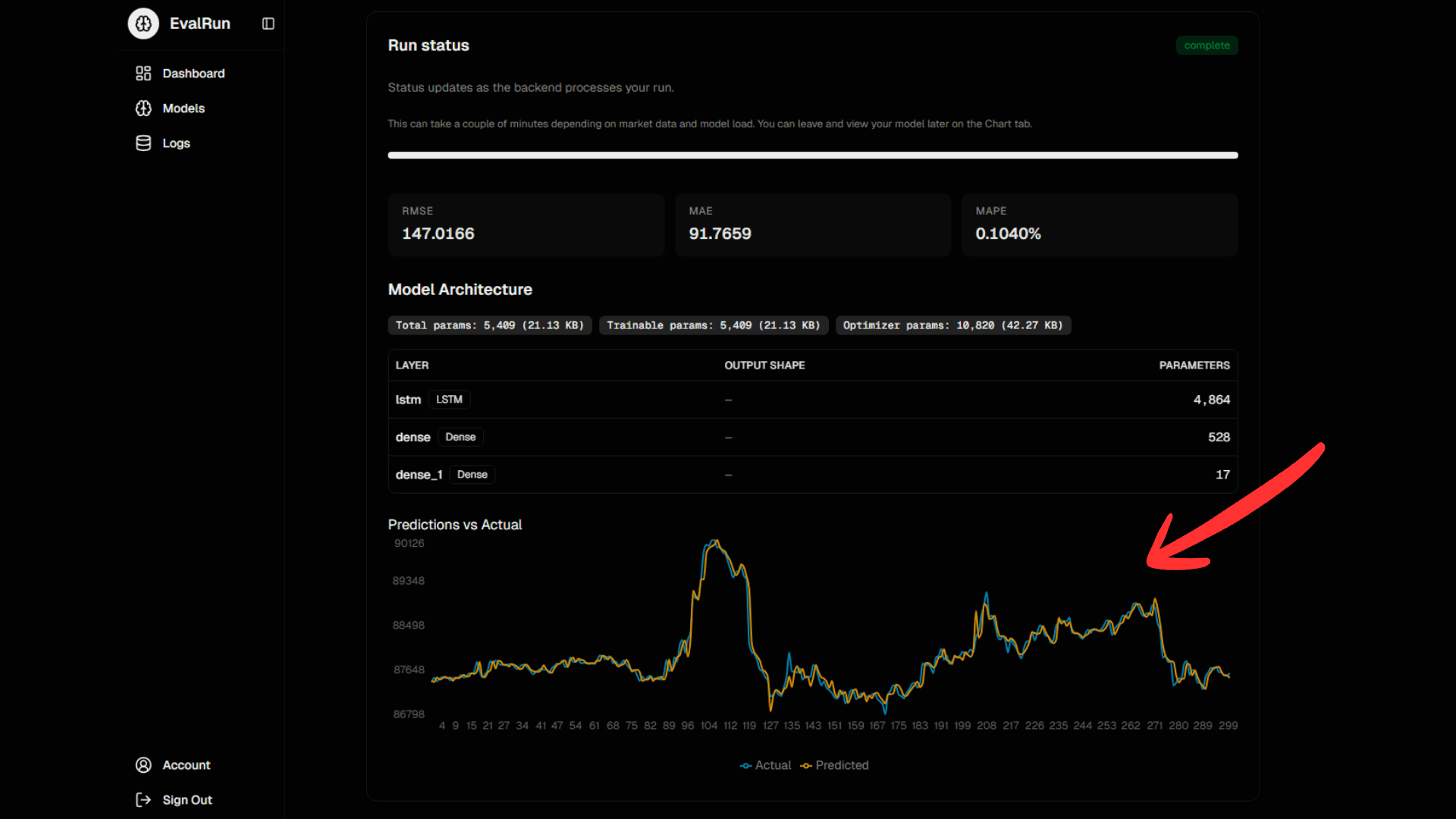
3. Let your model train and view the results of its performance.
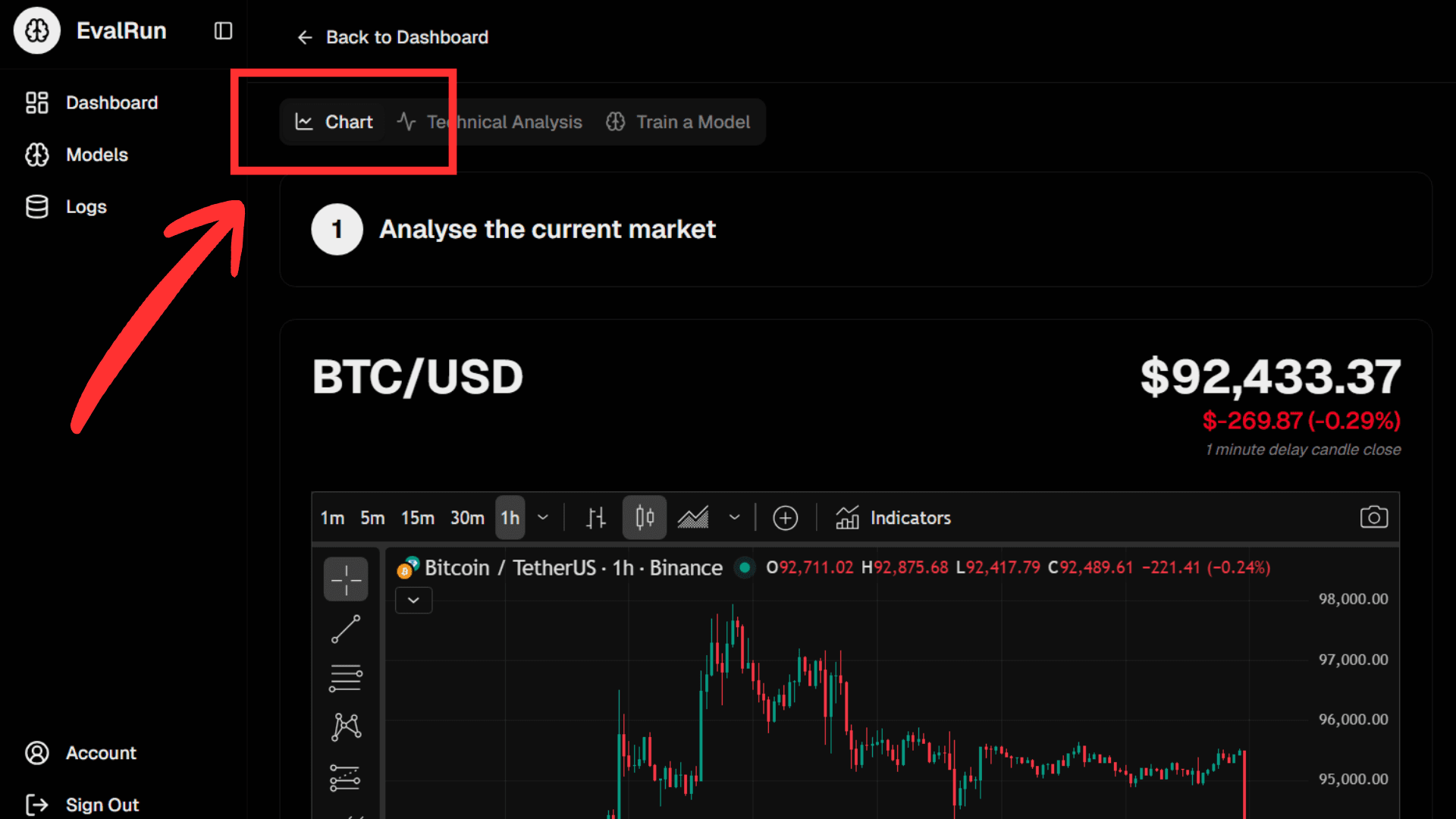
4. Jump back onto the chart's tab.
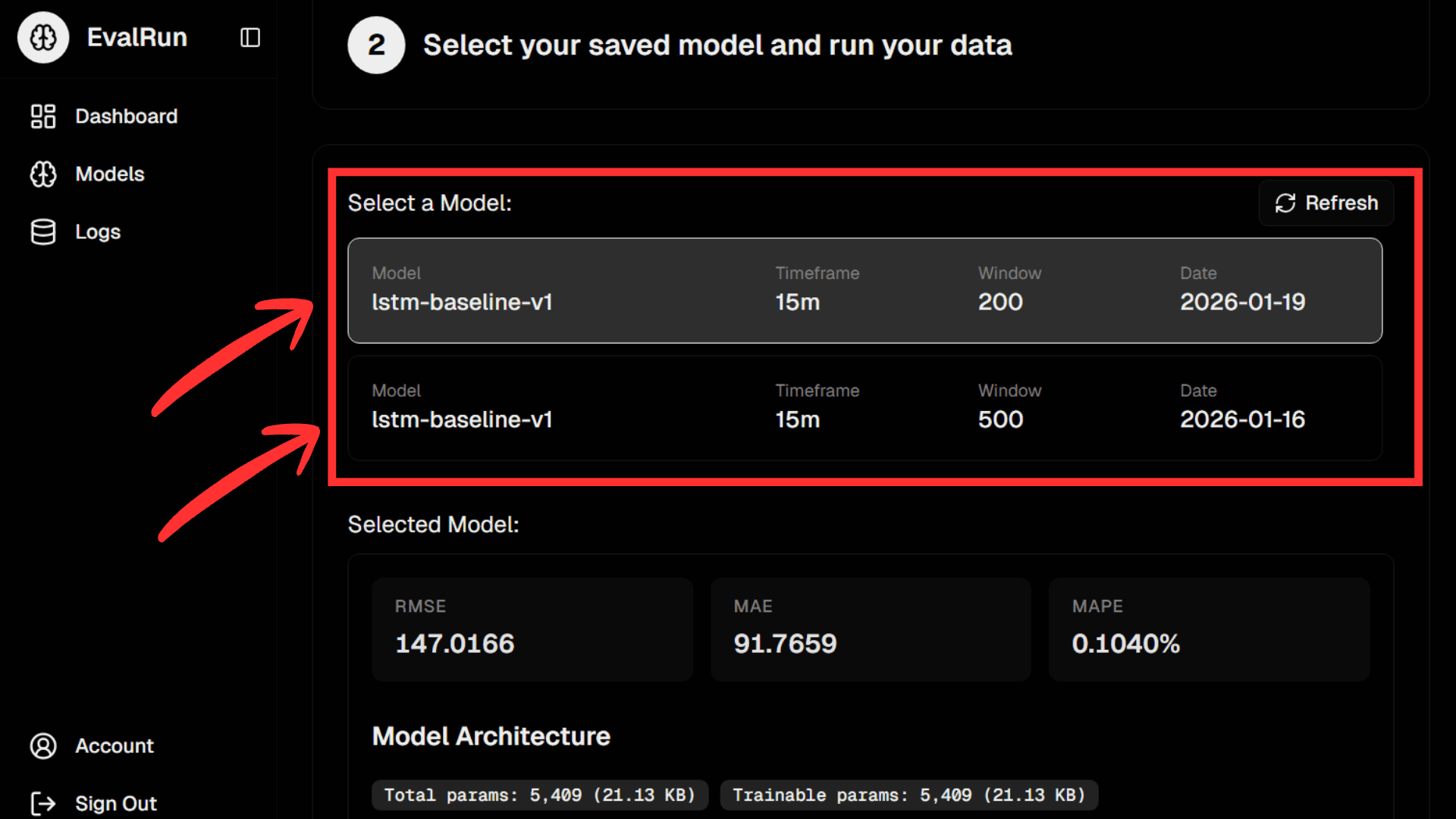
5. Select your chosen model.
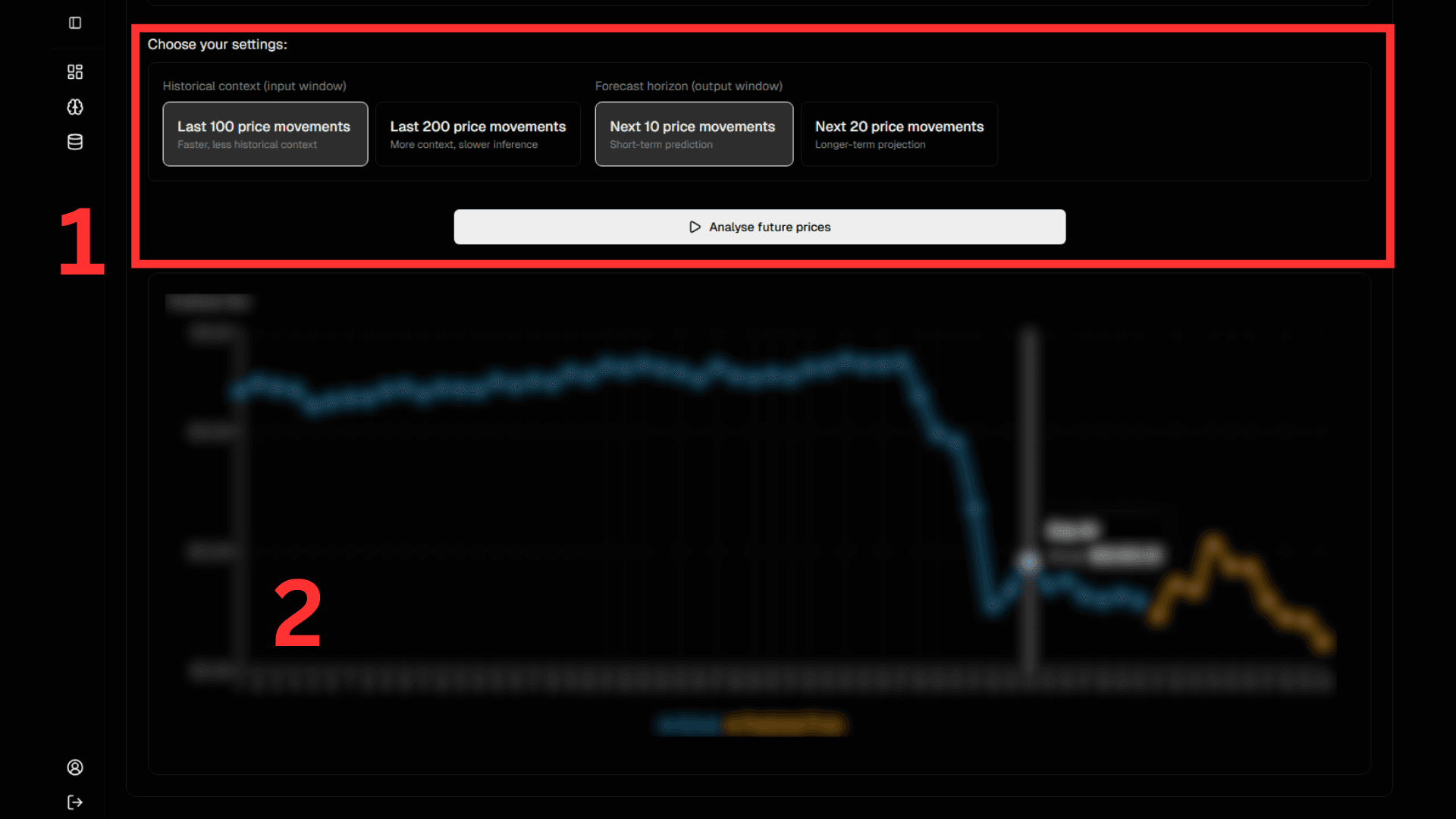
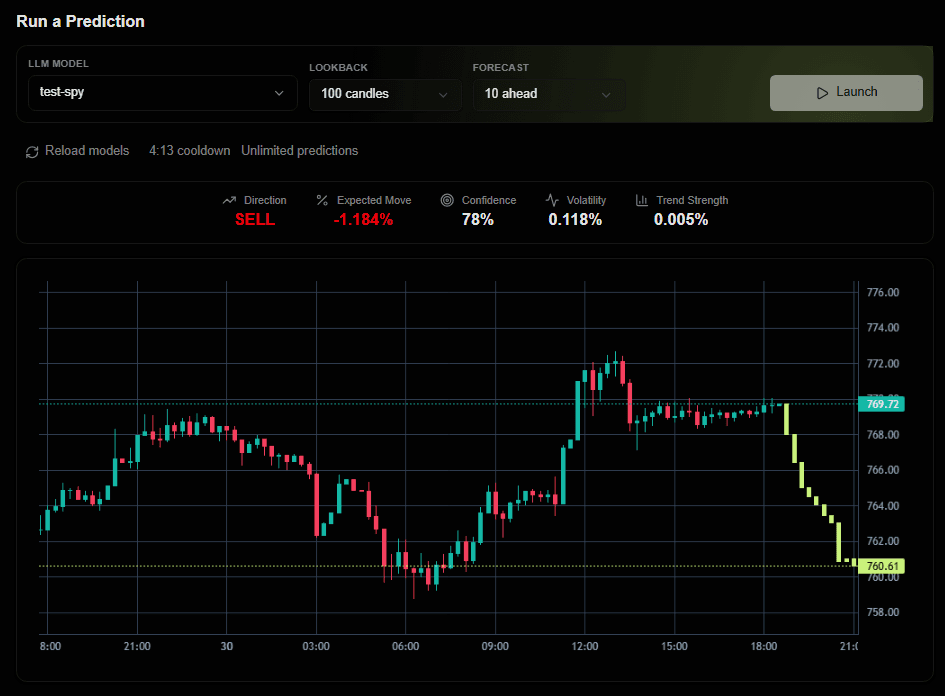
6. Choose your model's configuration and view your model predicting the next move.